December 11, 2025 · Automation, M365, Powershell, Uncategorized, graph-api
Hi Eveyone
In the previous post about the same topic the goal was simple, make sure a filter membership (based on windows devices) would have devices coming from an Entra Groups as follows:
retrieve Entra Group members
add them to Filter “membership rule” as “device name” OR “device name”
This week I had the chance to showcase the same script to a client in order to achieve similar results but with the following use case:
make sure we could create / update existing filters Rule syntax
make sure we could retrieve only devices in Intune (Intune Managed) not only Entra Devices to be added to the Filter Rule Syntax
add logic to install required PowerShell modules and removed any old dependency on Azure AD PowerShell module
always Invoke-MgGraphRequest -Method as PATCH making sure the Filter Rule Syntax will have the most up to date information from device list from each time it runs and not leaving devices behind
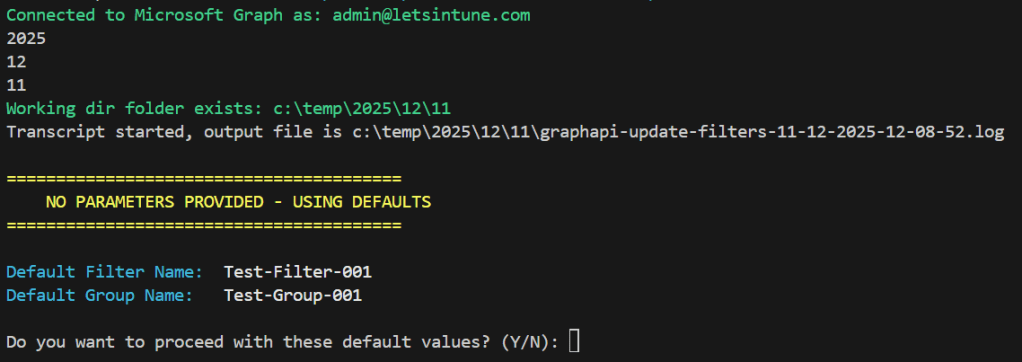
if GroupName exists in Entra, all devices from there found in Intune (managed devices) will be added to the Filter Rule Syntax. Otherwise, it will ask for confirmation before creating it.
all new created security groups are empty (no members) and are assigned type
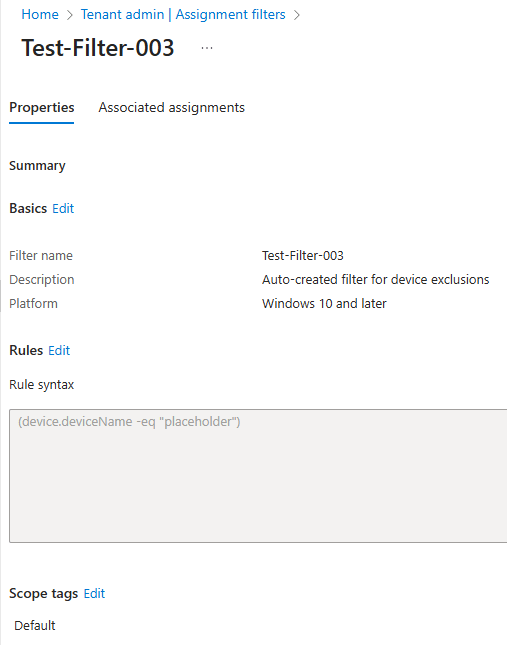
all new created filters come with default rule syntax as (device.deviceName -eq “placeholder”)
if the parameter -GroupMembersFromFile is given for new or existing group all members from File will be retrieved in Intune and added to the Filter Rule Syntax
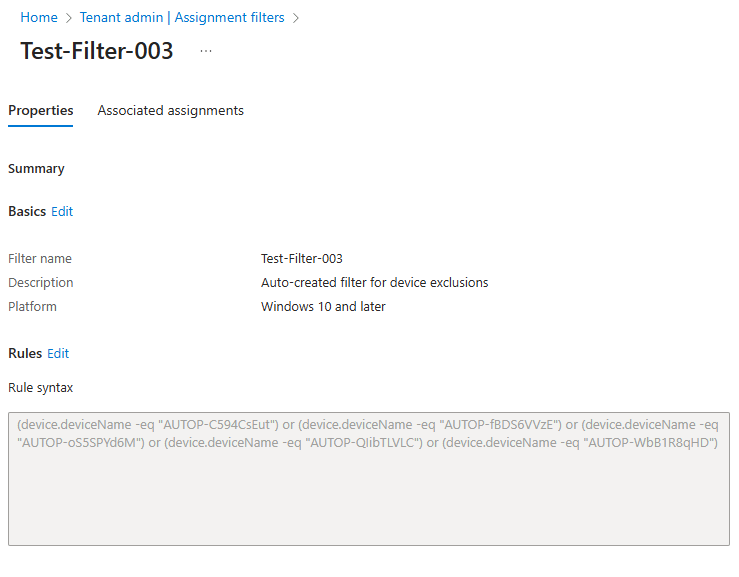
👆🏻After Filter Rule Syntax has been populated with all devices from Group or TXT file