← All posts
Hi again
If you are following some posts here. You probably need to understand the process behind uploading/importing device hash into Windows Autopilot Devices
- Brand New Device or existing device being added to your tenant (autopilot)
- IT personnel import device hash to Windows Autopilot devices and Autopilot the device
- IT OPS gets notifications on a Teams Channel and also in SharePoint List
- The device is ready for the end user
In order to do this we had to do the following:
- Register an Azure AD application => this post check this PDF 📝
- Define the authentication method for the PowerShell script to run silently
- secret – 📢 Post is coming
- certificate – 📢 Post is coming
- Create the PPKG using Windows Configuration Designer and a great thanks to Justin Trantham for the amazing video about it https://youtu.be/9stSXeKMyyU
- Standardize PPKG based on Device Location (LocationID)
- Ask IT personnel to initiate OOBE with Shift + F10, Launch MS Edge and download from our repository and run the PPKG file
Never forget to configure API permissions properly always using the least privilege concept.
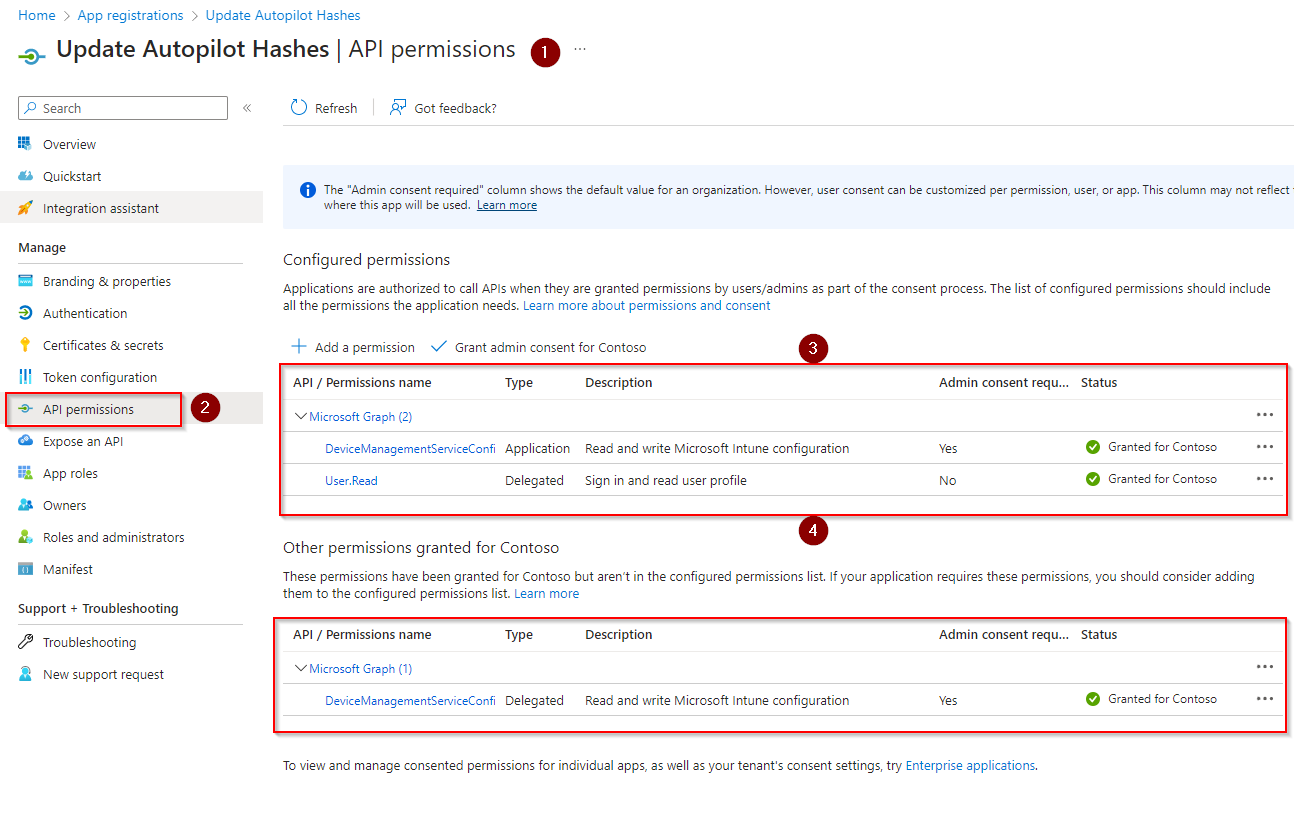
To add the permission
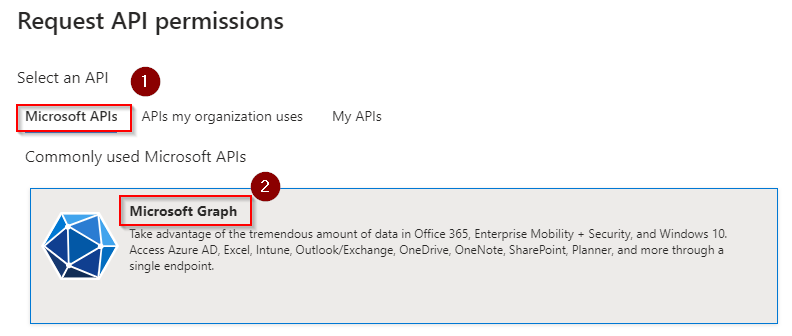
- click + Add permission name
- select Microsoft Graph
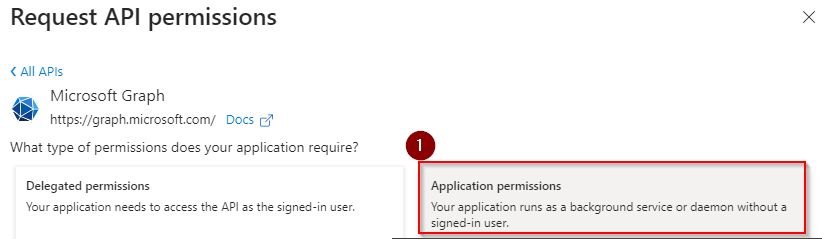
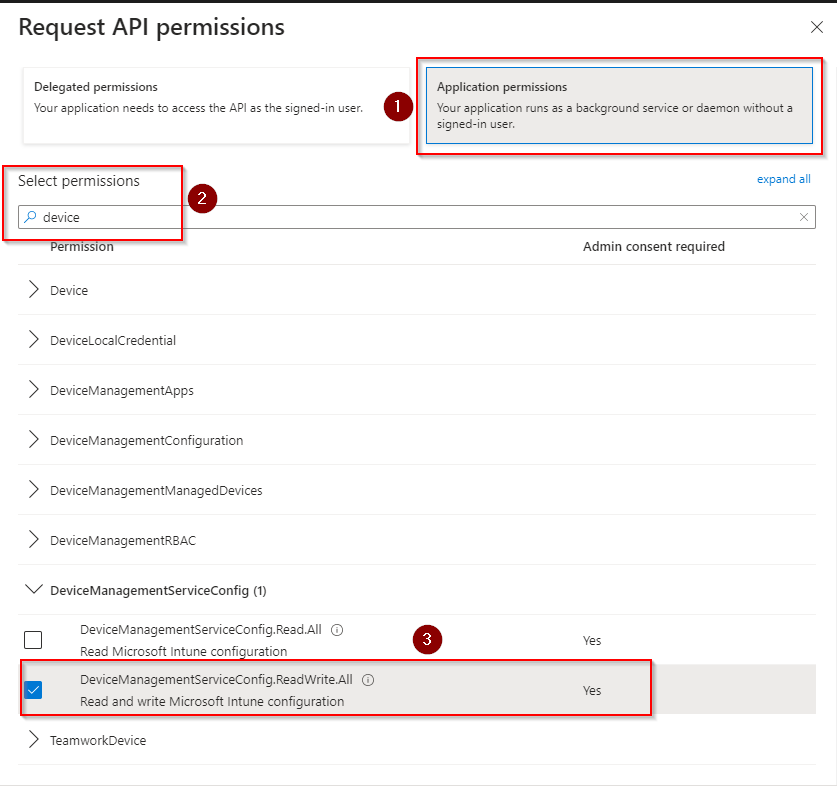
- select Application permissions
- Search for device
- expand “DeviceManagementServiceConfig (1)”
- select “DeviceManagementServiceConfig.ReadWrite.All”
- click “add permissions” and follow the wizard
- close all screens when finished
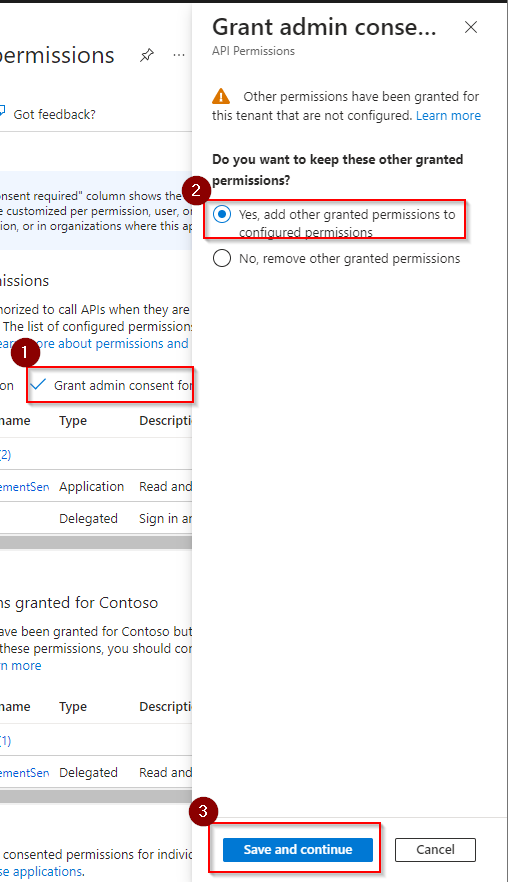
- when you’re finished (back to the main Api permission screen)
- click on “yes, add other granted permissions to configured permissions” if that shows up – in general when you already have other permissions assigned.
- click save and continue to finish
Cheers,
Thiago Beier
Toronto.
Originally published at thebeier.com