← All posts
Hi again
The other day I was working with a friend on a freelancer project onboarding so many devices at the same time that I asked myself a great way to give Operations Team a tool to monitor all Windows Autopilot Enrollment Status in a Teams Channel then we realized that sometimes people don’t look at the Teams’ channels for so many reasons. Then we came up with the following idea:
- Powershell Module and the SharePoint List for that.
A little about the process here.
- The device is imported to Windows Autopilot devices
- Leverage custom PPKG that imports devices hash to Windows Autopilot devices based on the DEVICE location or its Business unit.
- A notification is sent to a Teams Channel. 📝 Check this post.
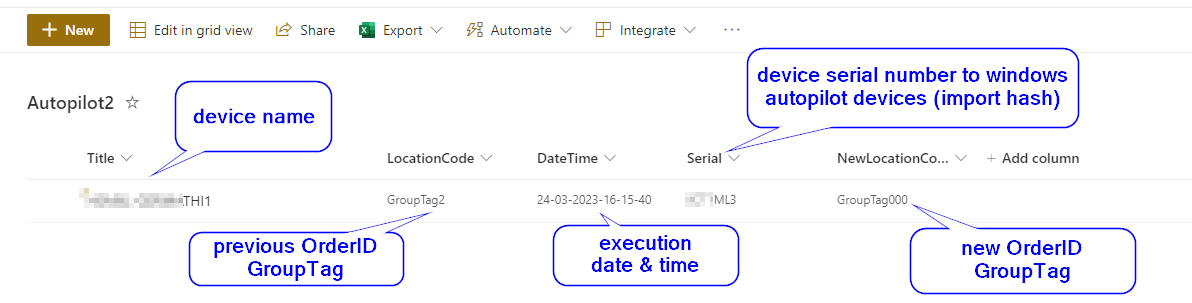
- An item is added to a SharePoint list 📝 – This post. ✅
- IT users wait up to one hour to make sure the imported device has a profile assigned to it (WAP – Windows Autopilot profile).
- IT team follows documentation to enroll devices as Hybrid Azure AD joined
- The device is shipped to end-user
📝 Please check the PDF file with this post content.
📢 Download the script from here.
📢 How to create the List for this scenario => link
Expected result
Cheers,
Thiago Beier
Toronto, ON
Originally published at thebeier.com