← All posts
Hi everyone
Have you ever targeted applications, policies, or settings to “All devices” in Intune and wondered what has happened?
The quick answer is that all Personal devices registered in Intune (Windows or macOS) will be affected by whatever policies or apps that you’re trying to push.
How do we know if we have Personal devices enabled to be enrolled in Intune?
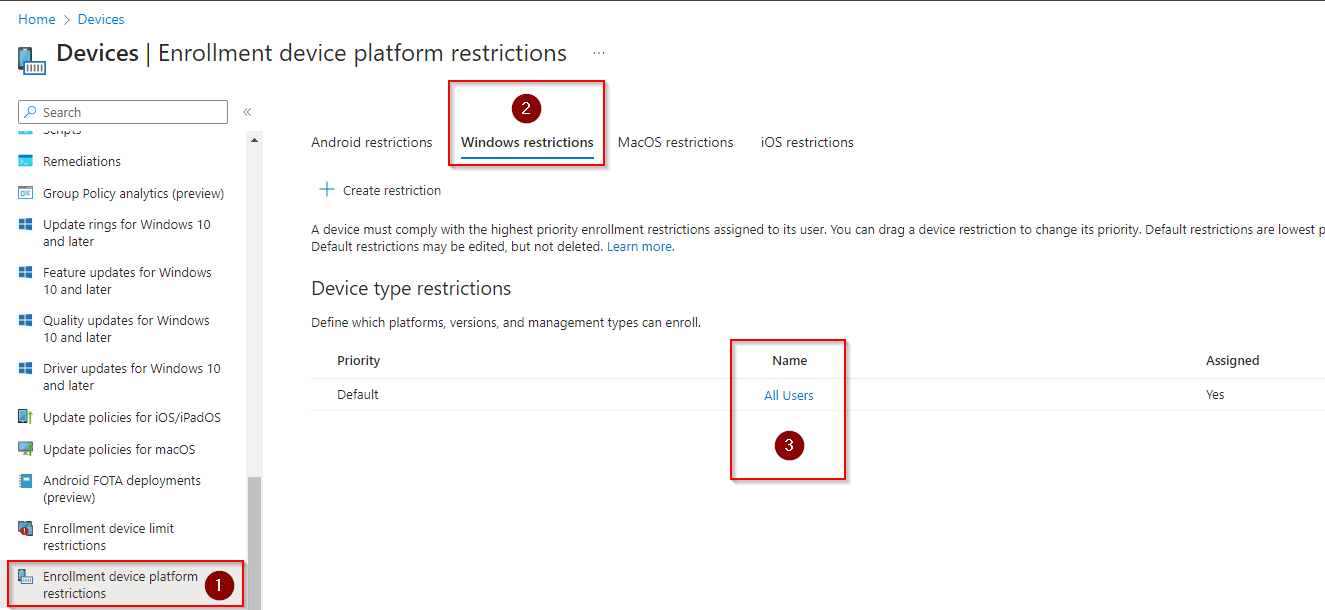
Go to Microsoft Intune admin Center
- Click on Devices
- Under policies, scroll down and click on “Enrollment device platform restrictions”
- select “Windows restrictions”
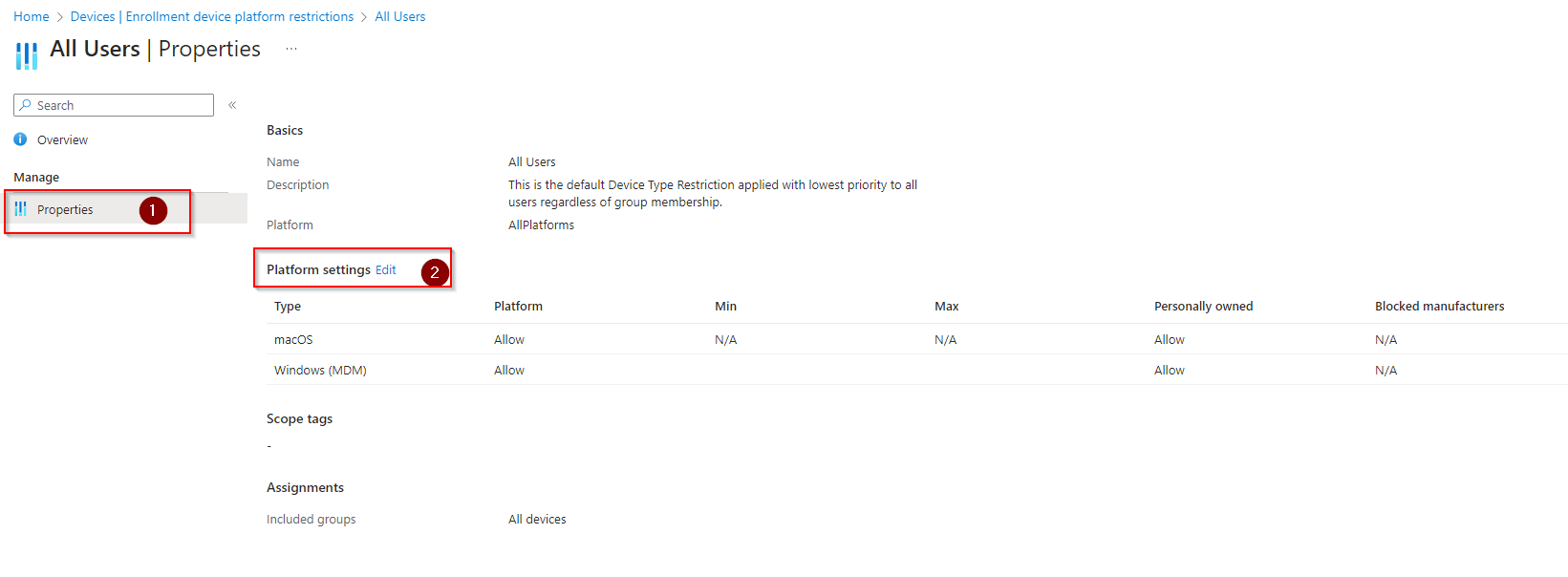
- select “All users”
- on next screen, select the properties
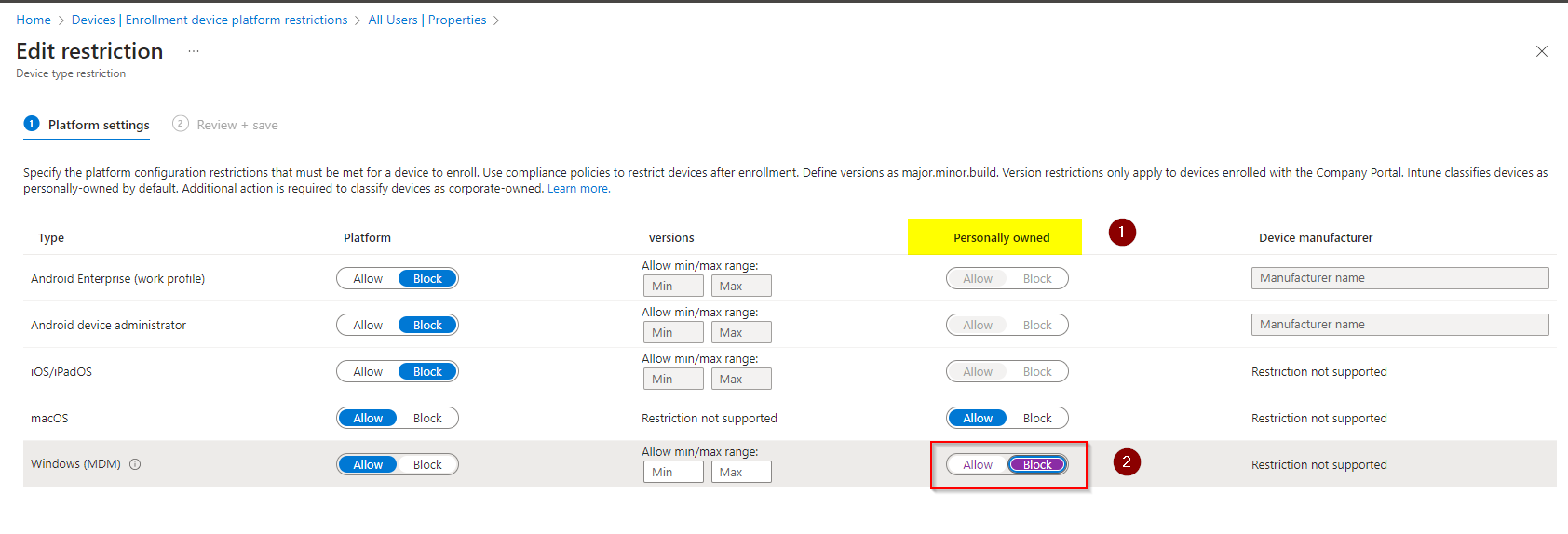
- click “edit” at Platform settings
- find Windows (MDM), check the column “Personally owned”
- update option to Block
- click “review + save”
Screenshots (in order)
Cheers,
Thiago Beier
Originally published at thebeier.com